Steps
Follow these steps to set up your webhook:
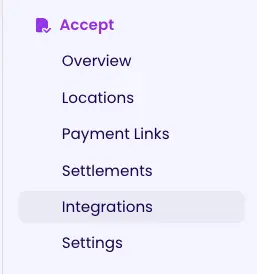
Step 1: Navigate to Accept and Click on Integrations
Go to the Accept section in your dashboard and click on Integrations.
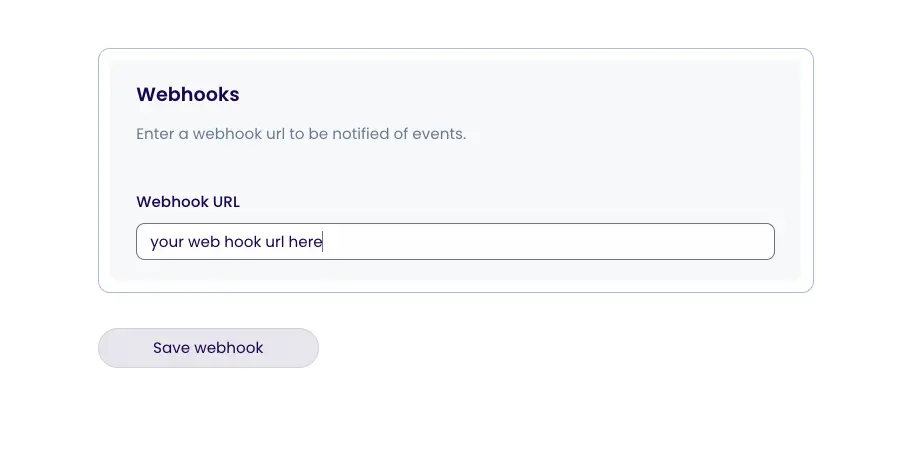
Step 2: Configure Your Webhook URL and Click Save
Enter your webhook URL in the provided field and click Save to complete the setup.